Song request apps for musicians, compared
What each one costs, where your tips go, and how much of every tip you keep.
A request is never only about the song. It's the couple who danced to it at their wedding, the friend whose birthday it is, the table that's been waiting all night to sing along. When you play it and call their name, that's the moment they remember the night, tip, and ask where you're playing next.
For years, requests came on napkins, shouted between songs, or from someone leaning over the mic stand mid-verse. Half got lost, the name got forgotten, and the tip jar sat across the room.
Then a lot of us started printing our song list and leaving copies on the tables. It was a real step up: people could see what we actually play, and the requests got better. But the list only reaches the tables it's sitting on, it goes out of date the week you learn a new song, and the request still has to find its way to the stage on a scrap of paper, with no easy way to tip or to follow you afterward.
A song request app is the same song list, on every phone in the room. Fans pick from songs you actually play, the request reaches you quietly when you're ready for it, you have their name for the shout-out, and the tip happens in the same tap. The apps below all do some version of this. They differ in what they cost and where your money goes.
Three good choices, for three kinds of player
Free with no limits and no fee on tips. Fans request a song and tip through your own Venmo, Cash App, PayPal or Zelle, so the money is yours that night. Requests arrive as texts, and the same page doubles as your musician profile for bookings.
A stage console: import your setlists, read chord sheets and lyrics, turn pages with a Bluetooth pedal, and take requests and tips from the same screen. A good fit if you want one app on your music stand for everything.
Fans pay by card and cover the service fee themselves, so the full tip reaches you. Unlimited songs, requests and tips on the free plan, with a Premium plan for events and ticketing.
All 13 apps
The last two columns matter most to a working act: where the money lands, and how much of it you keep.
| App | Price | Free option | Where tips go | Fee on tips | Who pays the fee |
|---|---|---|---|---|---|
| Applause | Free | Everything, no limits | Your Venmo, Cash App, PayPal, ZelleDirect | None | No fee |
| GigQ | Free during beta (invite only) | Everything, for now | Your Venmo onlyDirect | None | No fee |
| HelloBand | $9.99/mo or $99.99/yr | No free plan | Your Venmo, Cash App, PayPalDirect | None | No fee |
| LiveGig | Free, or $8/mo | 2 shows a month | Your Venmo, PayPal, Cash AppDirect | Not published | Not published |
| mySet | Free | Free app | Card, paid out via PayPal | $1.50 + card fee | Fan paysBy default. You can choose to cover it. |
| NoSongRequests | Free, $10/mo or $20/mo | 100 requests/mo, no tips | Card, Apple Pay, Cash App, PayPal | Not published | Not published |
| RequestNow | From $7/mo; tips need $30/mo; or $19/event | Free trial | Card or Apple Pay | Not published | Not published |
| Requesting Songs | $9.99/mo | 30-day trial | Your Venmo, Cash App, Zelle, PayPalDirect | Not published | Not published |
| RequestSongs.co | Free (Founders deal); monthly plan price not published | Free for life, fees from tips | Card, Apple Pay, Google Pay via Stripe | ~19.9% + $0.30 per tip (~7.9% + $0.30 on monthly plan) | You pay |
| Sing Us a Song | Free, no subscription | Everything | Card via Stripe, paid out to you | 10% platform fee + Stripe 2.9% + $0.30 | SplitPlatform fee: you or the fan. Card fee: the fan. |
| Skyjam | Free; Premium $10/mo or $99.99/yr | Unlimited songs, requests, tips | Paid through Skyjam (payout not published) | Service fee + card processing | Fan pays |
| SongRequestLive | Free; Plus $2/mo or Pro $3/mo (yearly) | 2 setlists of 15 songs, 20 requestable | Your Cash App, Venmo, PayPalDirect | Not published | Not published |
| Tiply | Free | Everything | Your bank, via Square | Small % per tip | Not published |
ApplauseFreeYour appsNone
- Price
- Free
- Free option
- Everything, no limits
- Tips go to
- Your Venmo, Cash App, PayPal, ZelleDirect
- Fee on tips
- None
- Who pays
- No fee
- Website
- Applause
GigQFree beta, invite onlyYour VenmoNone
- Price
- Free during beta (invite only)
- Free option
- Everything, for now
- Tips go to
- Your Venmo onlyDirect
- Fee on tips
- None
- Who pays
- No fee
- Website
- GigQ
HelloBand$9.99/moYour appsNone
- Price
- $9.99/mo or $99.99/yr
- Free option
- No free plan
- Tips go to
- Your Venmo, Cash App, PayPalDirect
- Fee on tips
- None
- Who pays
- No fee
- Website
- HelloBand
LiveGigFree · $8/moYour appsNot published
- Price
- Free, or $8/mo
- Free option
- 2 shows a month
- Tips go to
- Your Venmo, PayPal, Cash AppDirect
- Fee on tips
- Not published
- Who pays
- Not published
- Website
- LiveGig
mySetFreeCard → PayPalFan pays by default
- Price
- Free
- Free option
- Free app
- Tips go to
- Card, paid out via PayPal
- Fee on tips
- $1.50 + card fee
- Who pays
- Fan paysBy default. You can choose to cover it.
- Website
- mySet
NoSongRequestsFree · $10–$20/moCard / appsNot published
- Price
- Free, $10/mo or $20/mo
- Free option
- 100 requests/mo, no tips
- Tips go to
- Card, Apple Pay, Cash App, PayPal
- Fee on tips
- Not published
- Who pays
- Not published
- Website
- NoSongRequests
RequestNowFrom $7/moCardNot published
- Price
- From $7/mo; tips need $30/mo; or $19/event
- Free option
- Free trial
- Tips go to
- Card or Apple Pay
- Fee on tips
- Not published
- Who pays
- Not published
- Website
- RequestNow
Requesting Songs$9.99/moYour appsNot published
- Price
- $9.99/mo
- Free option
- 30-day trial
- Tips go to
- Your Venmo, Cash App, Zelle, PayPalDirect
- Fee on tips
- Not published
- Who pays
- Not published
- Website
- Requesting Songs
RequestSongs.coFree to startCard → bank~19.9% + $0.30
- Price
- Free (Founders deal); monthly plan price not published
- Free option
- Free for life, fees from tips
- Tips go to
- Card, Apple Pay, Google Pay via Stripe
- Fee on tips
- ~19.9% + $0.30 per tip (~7.9% + $0.30 on monthly plan)
- Who pays
- You pay
- Website
- RequestSongs.co
Sing Us a SongFreeCard → payoutUp to 10%
- Price
- Free, no subscription
- Free option
- Everything
- Tips go to
- Card via Stripe, paid out to you
- Fee on tips
- 10% platform fee + Stripe 2.9% + $0.30
- Who pays
- SplitPlatform fee: you or the fan. Card fee: the fan.
- Website
- Sing Us a Song
SkyjamFree · $10/moCard via SkyjamNone (fan pays)
- Price
- Free; Premium $10/mo or $99.99/yr
- Free option
- Unlimited songs, requests, tips
- Tips go to
- Paid through Skyjam (payout not published)
- Fee on tips
- Service fee + card processing
- Who pays
- Fan pays
- Website
- Skyjam
SongRequestLiveFree · $2–$3/moYour appsNot published
- Price
- Free; Plus $2/mo or Pro $3/mo (yearly)
- Free option
- 2 setlists of 15 songs, 20 requestable
- Tips go to
- Your Cash App, Venmo, PayPalDirect
- Fee on tips
- Not published
- Who pays
- Not published
- Website
- SongRequestLive
TiplyFreeBank via SquareSmall %
- Price
- Free
- Free option
- Everything
- Tips go to
- Your bank, via Square
- Fee on tips
- Small % per tip
- Who pays
- Not published
- Website
- Tiply
"Direct" means the fan pays you straight from their own app, so the money never sits with the request app. Fan pays means the fee is added on top of the tip, so you get the full amount. You pay means the fee comes out of your tip. "Not published" means we couldn't find it on the app's site. Apps change pricing often, so check before you sign up.
Missing an app? Tell us which one and we'll check it and add it to the table.
How to choose, in three questions
What will it cost you per month, not per tip?
A monthly fee is easy to see. A percentage is easy to miss. Here's a good night of 20 tips at $10:
Tips collected $200.00At ~19.9% + $0.30 per tip −$45.80On a flat $10/month plan $10 for the whole monthAlso check who pays that fee. Some apps add it on top, so the fan pays a little more and you keep the whole tip. Others take it out of your tip. Some let you choose. The "Who pays the fee" column in the table shows which is which.
Where does the money land?
Some apps send tips straight to your own Venmo, Cash App or PayPal, so the money is yours that night. Others collect by card and pay you out later, minus their cut. Neither is wrong. Just know which one you're signing up for.
How many taps does it take a fan?
The best request happens 30 seconds after the fan thinks of the song. Fans should be able to scan a QR code and request without downloading an app or making an account, and tip with an app already on their phone.
From your song list to the shout-out, in one minute
Set it up once on your computer. Then watch a real request at a real gig, from the fan's phone and the musician's, side by side.
 How to take song requests and tips at your gig (free)
Try Applause free, and get the playbook
Your own page, song requests by text, and tips straight to your Venmo, Cash App, PayPal or Zelle, with no fee. Create your page and we'll send you The Solo Artist Playbook: six short chapters on getting booked, growing a following and earning more per night, plus the gear and software guide this comparison comes from.
FAQ
Is there a free song request app for musicians?
Yes, several. Applause, mySet, Tiply, Sing Us a Song and Skyjam are free to use, and RequestSongs.co is free to start. They differ in what they take from each tip: from nothing (Applause) to about 19.9% + $0.30 (RequestSongs.co).
Which song request app has no fees on tips?
Applause, GigQ and HelloBand take no fee on tips. Applause is the only one of those that's free and open to everyone: GigQ is invite-only for now, and HelloBand costs $9.99 a month. Skyjam charges the fan a service fee instead, so you keep 100%.
Who pays the fee: me or the fan?
It depends on the app. Skyjam adds its fee on top, so the fan pays it and you keep the full tip. mySet charges the fan by default, and you can choose to cover it yourself. Sing Us a Song lets you or the fan pay its 10% platform fee, while the fan covers card processing. RequestSongs.co takes its fee out of your tip. Apps that send tips straight to your own Venmo or Cash App, like Applause, have no request-app fee at all.
Do fans need to download an app to request a song?
Not with Applause or RequestSongs.co: fans scan a QR code and request in their phone's browser. Check the others before you commit.
Should I charge for requests?
Most solo acts do better keeping requests free and tips optional. Fans who feel pressured leave, and fans who feel appreciated tip after their song. Apps like mySet let fans pay to boost a request, if your crowd likes that.
Can I use more than one tip app?
Yes, and you should. Someone without Venmo won't download it just to tip you. Applause shows Venmo, Cash App, PayPal and Zelle together, so fans pick the one they already have.
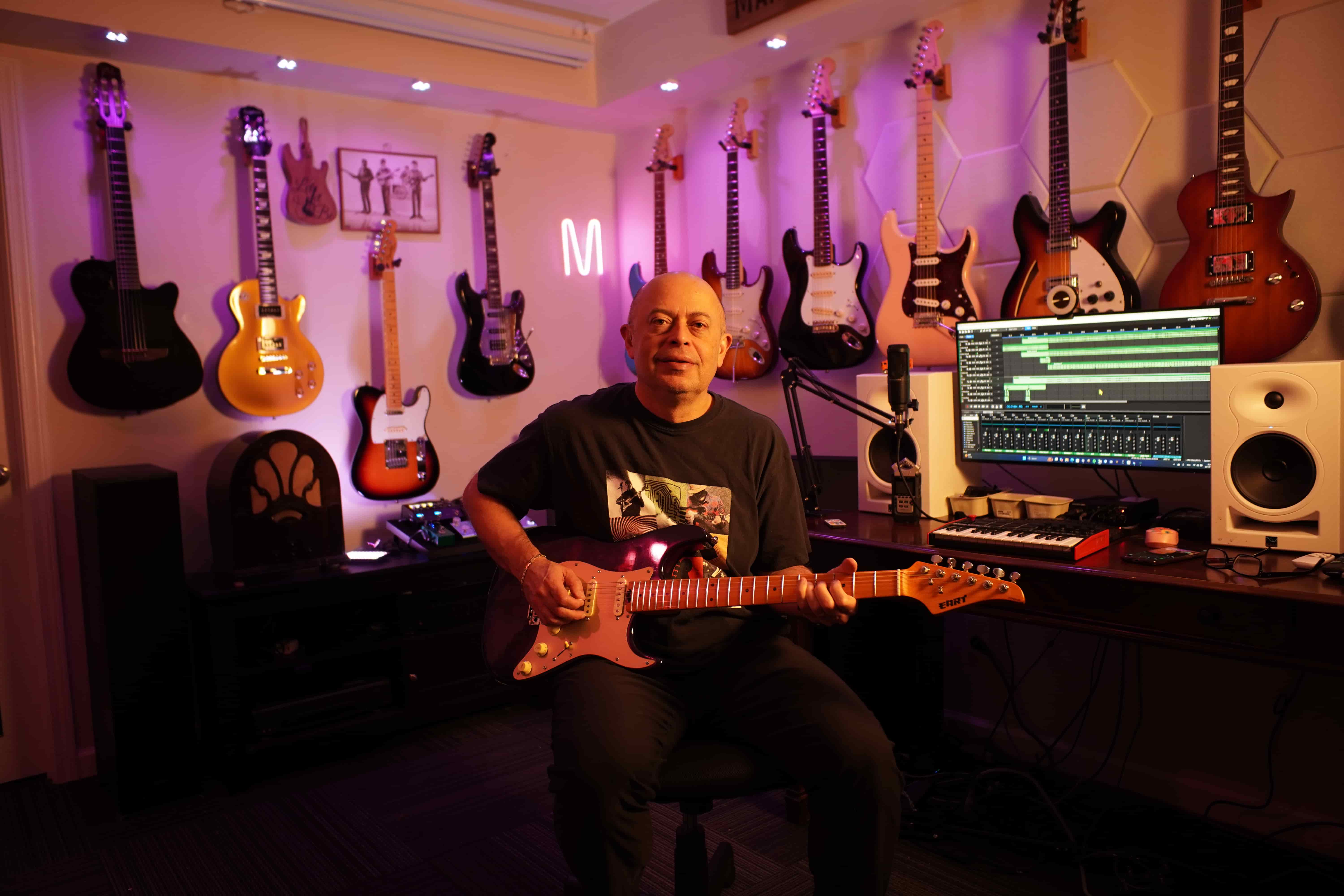
I've played covers in bars, breweries and backyards for 30 years, and I'm part of the team that built Applause. So yes, we're biased, and that's why every number on this page comes from each app's own website. Several of these apps are good, and if one of them fits the way you play better, use it.
Using an app that isn't on this list, or spotted a price that changed? Email me at hello@applause.me. I read every one, and we update this page when apps change.